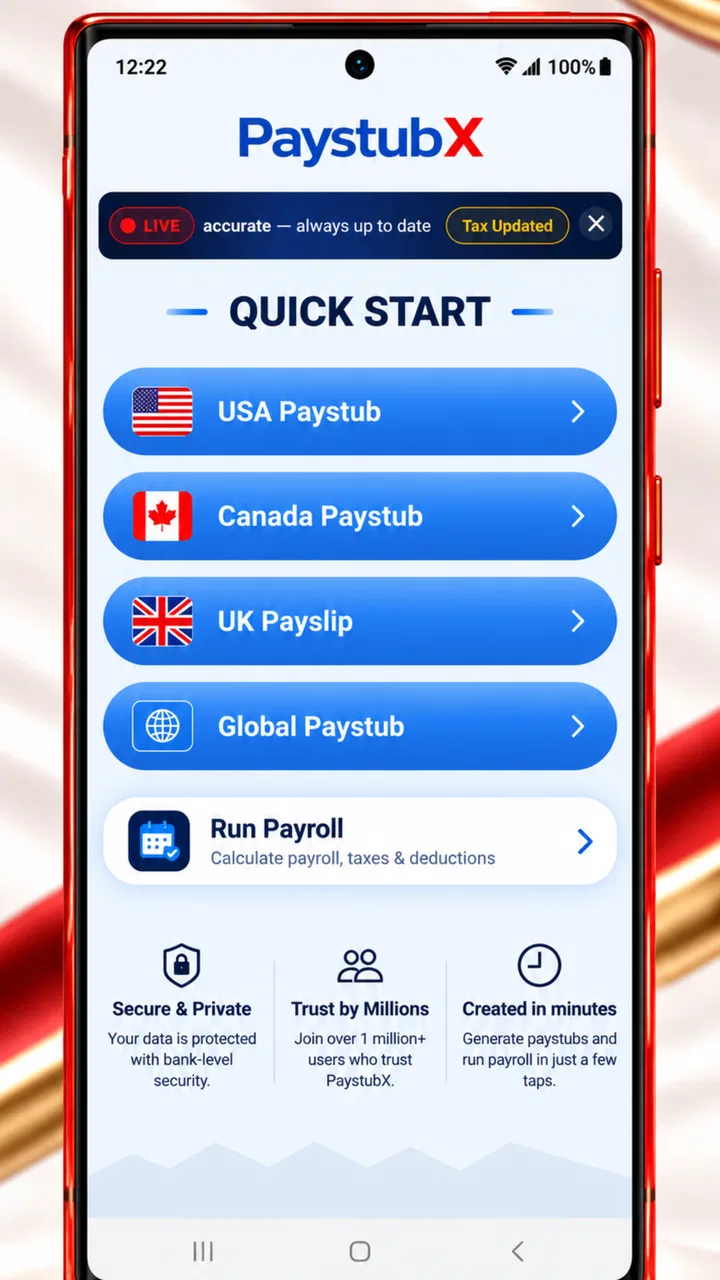
Paystub Generator: Paycheck
- 4.0
- Rating
- 100.00K
- Installs
- Free
- Price

 Analysis by App-foxy
When I first opened Paystub Generator: Paycheck, I understood its appeal quickly: it is a finance app built around preparing payslips and paycheck stubs, with payroll tax calculations included in the workflow. That makes it more focused than a general budgeting app. You are not opening it to track coffee spending or build an investment portfolio; you are opening it when you need a clearer picture of pay, deductions, or a presentable paystub.
My first impression was practical rather than flashy. The app, developed by Paystubx, is aimed at people who want to create a pay document without building one manually in a spreadsheet. It is free to install, carries an Everyone age rating, and has reached over one hundred thousand installs. Its average rating sits at four out of five from roughly three thousand ratings, which suggests that many users find the basic idea useful while still leaving room for individual experiences to vary.
The most important thing to understand before using it is that a generated document is only as reliable as the information entered into it. I would treat the app as a preparation and calculation aid, not as a substitute for checking an official payroll record. If the result will be used for housing, lending, employment, or another formal purpose, I would compare every important figure with the employer’s records before sharing it.
You May Also Like

 Blood Strike: 2.5 Anniversary
Blood Strike’s Loadouts Turn Every Drop Into a Tactical Gamble
A close look at Blood Strike’s custom loadouts: how fast access to signature weapons reshapes its battle royale rhythm, rewards preparation, and narrows the gap between fights.

 Pandora - Music & Podcasts
Pandora’s Music Is Easy to Start, but Harder to Recover
Pandora’s strength is its low-effort path from a seed to a station. Its weak spot is how much confidence it asks you to place in connection, setup, and quiet recovery.

 8 Ball Pool
 Is Built on Rivalries, Rematches, and Routine
A close look at the rivalries, rematches, shared routines, and unanswered safety questions that turn a quick pool match into a persistent mobile community.

 Samsung Music
’s Quiet Strength Is Playing What You Already Own
Its reach comes less from spectacle than from dependable access to a personal library. That simplicity is both the app’s strongest retention engine and its ceiling.

 AccuWeather: Weather Radar
AccuWeather Review: A Quick, Clear Forecast for Everyday Decisions
For everyday plans, the best forecast is the one you can understand quickly. AccuWeather makes rain timing, radar, and local conditions easy to act on, with a few trade-offs.

 Hill Climb Racing
Why Hill Climb Racing Still Turns Crashes Into One More Run
A tiny car, a bumpy hill and one more upgrade: Hill Climb Racing keeps resurfacing because its simple chaos makes every near-miss feel personal.
More From Our News Desk



What to expect when you open the app
The app’s central job is straightforward: help you assemble a paycheck stub and work through payroll-related figures in one place. That is useful for an independent worker who needs an organized record, a small business owner preparing documentation, or an employee trying to understand how gross pay becomes take-home pay.
I like the fact that the concept is narrower than many finance tools. A budgeting app may tell you where your money went, but it normally does not help you shape a payslip. A spreadsheet gives you flexibility, yet it also leaves you responsible for formulas, formatting, and checking whether deductions have been handled consistently. This app sits between those options: more guided than starting from a blank sheet, but not a replacement for a full payroll service.
The wording around a “paycheck” can also create the wrong expectation if you are not careful. I would not assume that entering a few numbers automatically makes the result official. A clean-looking stub can be helpful for personal records, planning, or presenting information in a readable format, but appearance is not proof that the underlying payroll treatment is correct.
That distinction is especially important for anyone dealing with changing tax situations, multiple jobs, irregular hours, bonuses, reimbursements, or benefits. A simple pay period may be easy to model. A complicated one deserves a second check, because a calculator can process what you enter without knowing the full context behind those figures.
A sensible first setup
For a smoother first session, I would gather the information before opening the form. Have the pay period, pay frequency, gross amount or hours and rate, employer details, employee details, and any deductions you need to represent nearby. The exact fields you see can depend on the app’s current workflow, but preparing the source information prevents the most common mistake: guessing while filling out a document.
I also recommend deciding what the document is for before you begin. If you only want a personal estimate, you may focus on the relationship between gross pay, taxes, and net pay. If you need a record for another person to review, accuracy and consistent naming matter just as much as the final total. A document that looks polished but uses an unclear pay period or incomplete employer information can still cause confusion.
The current version is 10.0.28, and the app supports Android devices running version 5.0 or later. That broad compatibility makes it approachable for people using older phones, although I would still keep the operating system updated when possible. Finance-related work deserves a stable device and careful handling, particularly if you are entering personal or employment information.
Before committing to a long entry, I would create a small checklist on paper or in a separate note. Mark the dates, payment frequency, gross figure, taxes, other deductions, and final net amount. This is one of the less obvious ways to avoid trouble: the app can make document creation feel quick, but a quick entry is not necessarily a checked entry.
Getting to the first useful result
The first meaningful success is not merely opening a blank form. It is producing a completed paystub whose totals make sense when you read from top to bottom. I would begin with one ordinary pay period rather than a complicated example involving overtime, commissions, or reimbursements. A simple test gives you a chance to understand the layout and notice how the tax calculation affects the final figure.
Enter the identifying information carefully, then work through the pay details in the same order you would read a real payroll statement. Start with the earnings figure, review the deductions, and finish by checking the take-home amount. If the result looks surprising, do not immediately change random fields to force it closer to an expected number. Go back to the source figures and identify which assumption differs.
One useful workflow is to compare the generated result with a real pay statement from the same type of pay period, using it only as a reference. Look for differences in gross pay, tax treatment, and other deductions. This does not prove that either document is correct, but it helps reveal whether you misunderstood a field or entered a value in the wrong place.
After creating the first document, read it as if you were someone receiving it without any background explanation. Can you tell who was paid, for what period, and how the final amount was reached? If not, revise the input rather than assuming the reader will understand your intention. A payslip is useful because it communicates, not just because it contains numbers.
For recurring use, I would keep a consistent naming habit outside the app, such as identifying the employee and pay period in your own records. That makes it easier to compare one pay period with another and reduces the chance of sending the wrong document. The app’s value improves when it becomes part of a repeatable process instead of a one-off emergency tool.
Where first-time users can get confused
Payroll language is the main source of friction. Gross pay is not the same as net pay, and a tax estimate is not necessarily the complete list of deductions that may appear on an official employer statement. Someone using the app for the first time may see a plausible total and assume the calculation covers every situation. I would slow down whenever the pay includes anything outside regular wages.
Another common confusion is mixing the pay period with the payment date. These are related but not identical pieces of information. If you are preparing a record for a particular week, fortnight, or month, make sure the period describes the work being paid for, while the payment date describes when the money was issued. Keeping those ideas separate makes the document easier to verify later.
Tax calculations deserve a cautious approach as well. The app can help organize payroll tax figures, but the result depends on what you enter and on the assumptions behind the calculation. I would not use a generated number as a final tax filing decision without checking the applicable rules or consulting a qualified professional. This is especially true when deductions, benefits, location, filing status, or multiple income sources complicate the picture.
There is also a practical privacy question. Because a paystub can contain identifying and employment information, I would avoid creating documents casually on a shared device and would think carefully before distributing them. Use only the information needed for the intended document, review the recipient, and keep your own copies organized. These habits are just as important as the calculation itself.
Free access and the paid layer
The app is free to install, which lowers the barrier for someone who wants to test the workflow before deciding whether it suits them. It also includes in-app purchases ranging from $1.99 to $199.99 per item. That wide range is a reason to inspect the purchase screen carefully rather than assuming every useful action is included at no cost.
I would start with a single uncomplicated paystub and judge the experience before paying for anything. Ask yourself whether the available workflow handles your real situation, whether the output is clear enough for its intended use, and whether the time saved is worth the purchase. A paid option can make sense for repeated document creation, but it is harder to justify when you only need one personal estimate.
This is also where the app differs from a traditional payroll platform. A full payroll service may offer broader employer administration, ongoing records, compliance support, and automated processing, while this app is more suitable for creating and calculating individual paycheck documents. On the other hand, a spreadsheet may be cheaper and more customizable for someone who already understands payroll formulas, though it demands more manual checking and formatting.
In my view, the best match is someone who values a guided, focused tool but does not need a complete payroll department in an app. The wrong match is a business looking for end-to-end payroll management or an employee who needs an official employer-issued statement. In those cases, the normal payroll system or a professional service is the safer choice.
Practical scenarios where it helps
Imagine a self-employed worker who has completed a regular contract and wants to organize the payment details before updating personal records. Instead of opening a blank spreadsheet and designing a document from scratch, they can use the app’s paycheck-oriented workflow to bring earnings and deductions together. The useful outcome is not just a nicer page; it is a repeatable record that can be checked against the worker’s bank activity and invoices.
A small employer could also use it for a straightforward internal pay record when a full payroll platform would be excessive. I would still keep a separate bookkeeping process and verify tax treatment, but the app may reduce the formatting work involved in preparing a readable stub. The trade-off is that convenience does not remove the employer’s responsibility for correct payroll handling.
For an employee, the tax calculator can be useful as a learning tool. You can compare how a change in gross pay affects the amount left after deductions, which may help with budgeting or evaluating a new work arrangement. I would use that result for planning rather than treating it as a guaranteed forecast, because real payroll outcomes can include details that a simple entry does not capture.
One advanced but practical habit is to use the app for scenario comparison without confusing scenarios with records. For example, you might estimate regular pay separately from a period with extra hours, then label your own notes clearly so an estimate is never mistaken for a completed payroll document. This keeps the calculator useful while protecting the accuracy of your actual records.
Who should choose another option
I would hesitate to recommend this app as the only payroll solution for a company with many employees, complicated benefits, or strict reporting requirements. The more moving parts your payroll has, the more valuable automated records, professional support, and formal compliance tools become. A focused paystub generator can complement that system, but it should not replace it.
I would also steer away from it if your main goal is household budgeting. The app is built around pay documents and payroll figures, not around categorizing spending, setting savings goals, or monitoring several bank accounts. A budgeting app will usually be more useful for those tasks.
Likewise, anyone who needs an official document from an employer should request it through the employer’s payroll channel. Creating a substitute document may help you understand the figures, but it does not give that document the same authority. This is the clearest boundary I found in using a tool of this kind.
My next-step recommendation
After the first successful paystub, I would not immediately create a large batch. I would save the input checklist, review the result once more, and decide whether the app fits the way you actually work. If your pay is regular and your needs are modest, the focused workflow can be convenient. If every pay period requires unusual adjustments, the time spent verifying entries may outweigh the convenience.
Paystub Generator: Paycheck is best understood as a practical document and calculation aid. Its free entry point, Everyone rating, support for older Android versions, and focused purpose make it approachable for first-time users. The developer is Paystubx, and the app has enough adoption to be familiar to a substantial group of Android users, but popularity should not replace checking your own results.
My recommendation is cautious but positive: try it with a simple, well-documented pay period, compare the output with information you already trust, and only then decide whether it belongs in your regular workflow. The safest way to use it is as a careful assistant, not as an automatic authority. Used with that mindset, it can save formatting effort and make payroll figures easier to understand. Used without verification, it can make an incorrect number look more convincing than it really is.
FAQs for Paystub Generator: Paycheck
01What is Paystub Generator: Paycheck used for?
Paystub Generator: Paycheck is designed to help users create professional-looking paycheck stubs and income documents from a mobile device. It can be useful for freelancers, small-business owners, employers, and workers who need an organized record of earnings. Before using a generated document for official purposes, carefully verify that every detail is accurate and confirm that the recipient accepts this type of document.
02Is Paystub Generator: Paycheck free to download and use?
The app may be available to download at no initial cost, but some features, templates, exports, or document-generation options can require payment, a subscription, or in-app purchases. Pricing and available tools may vary by platform and region. We recommend checking the app store listing and the in-app purchase screen before creating a document, especially if you only need the service occasionally.
03What information do I need to create a paycheck stub?
Typically, you may need details such as the employee’s name, employer information, pay period, payment date, gross income, deductions, taxes, net pay, and year-to-date totals. The exact fields can differ depending on the selected template or local requirements. Review all entries carefully, because incorrect figures or missing information could make the finished document confusing or unsuitable for its intended purpose.
04Can paycheck stubs created with the app be used as official proof of income?
A paycheck stub generated with the app may help organize or present income information, but it is not automatically an official payroll record. Banks, landlords, government agencies, employers, and other organizations may require documents issued through verified payroll systems, tax forms, bank statements, or additional evidence. Never use the app to create misleading information, and always ask the receiving organization what documents it accepts.
05Is my personal and financial information safe in Paystub Generator: Paycheck?
Because creating a paystub can involve names, employer details, earnings, tax information, and other sensitive data, privacy should be considered before using the app. Read the developer’s privacy policy to understand whether information is stored locally, uploaded, shared with service providers, or retained after export. Use a secure device, avoid entering unnecessary details, and delete saved documents when they are no longer needed.
Pros
- Creates professional-looking pay stubs in just a few minutes.
- Useful for freelancers
- contractors
- and small business owners.
- Lets you enter earnings
- deductions
- taxes
- and employer details.
- Digital documents are convenient to save
- or share.
- Simple layout makes the generator easy for first-time users.
Cons
- Accuracy depends entirely on the information entered by the user.
- May not meet official requirements in every state or country.
- Advanced payroll calculations may require manual verification.
- Some features or templates may be restricted behind paid access.
- Generated pay stubs may not be accepted as proof of income everywhere.

Paystub Generator: Paycheck
Gallery